Best IPTV box
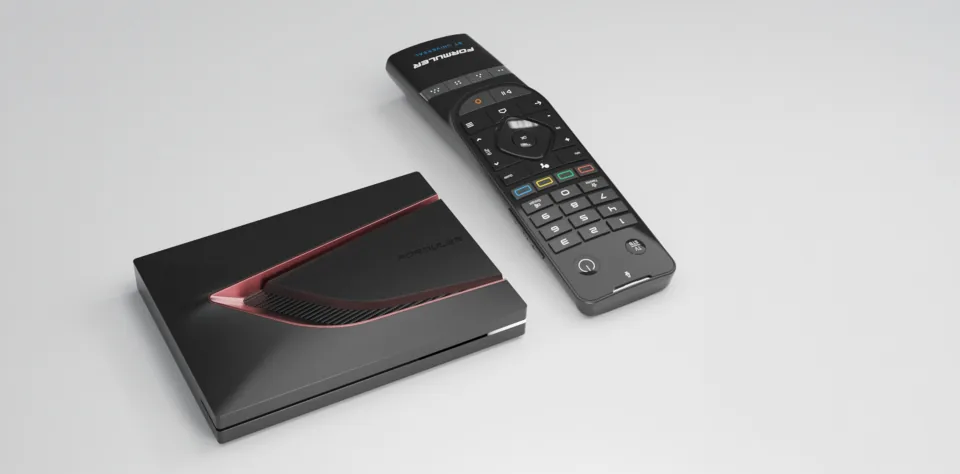
Formuler's flagship with MyTVOnline 4, 128 GB of storage and Dolby Vision
- 4K · Dolby Vision · HDR10+
- Ethernet Gigabit
- Android 12
from £182.94 at Tech-Tech
IPTV box · review updated 13 October 2026
The Infomir MAG 540w3 is a Linux IPTV box that logs in with its MAC address: your provider activates the box and you enter a single portal URL.
The MAG 540w3 logs in with its MAC address on a Stalker or Ministra portal. If your provider only supplies an M3U list or Xtream Codes details, choose an Android box or a Formuler.
Our verdict
The MAG 540w3 is the simplest way to watch IPTV if your provider supplies a MAG portal (Stalker or Ministra): give your MAC address, enter the portal URL and the box does the rest. It is cheap, small and stable, but doesn't run Android apps and has only 1 GB of RAM and a 100 Mbit/s network port. If you want TiviMate, Netflix or logging in with Xtream Codes, choose an Android box.
How the MAG 540w3 scores on the five points we rate every box on. How we rate.
Together with the MAG 544w3, the 540w3 is Infomir's current Linux model. The w3 version has built-in dual-band Wi-Fi; the standard MAG 540 only has a network port.
In this review you'll read how logging in with a MAC address works, which subscriptions the box can handle, how it compares with the MAG 544w3, the 524 and the Google TV box MAG 555, and how to set it up.
A MAG box doesn't log in with a username and password, but with its MAC address. It is on the sticker on the box and, at Infomir, starts with 00:1A:79. You give it to your IPTV provider, who activates it on their Stalker or Ministra server and sends you a portal URL. You enter that on the box, and that's it. Infomir doesn't change MAC addresses on request.
Your provider's portal supplies everything: the channel list, the TV guide, the menu and, if the provider supports it, catch-up. How it looks and what works therefore depends on your provider, not on the box. Some shops describe the MAG 540w3 as suitable for Stalker, Xtream and M3U, but Infomir doesn't describe logging in with Xtream Codes. That only works if your provider has a MAG portal for it.
Does your provider run an older Ministra or Stalker portal? Since an update in August 2023 the box can pose as an older MAG 420, 322 or 254 (the ‘Compatible Model’ setting). You load an M3U list via ‘Add IPTV list’ in the IPTV Channels menu, as a link or from USB or NAS. That is a simple player without a full TV guide, though.
The 540w3 runs Linux 4.9 with Infomir's portal. There is no Play Store and you don't install APKs. That is also the advantage: there are no apps or advertising, the controls are clear and, according to Infomir, the box runs for months without a restart. That suits people who want to keep it simple, such as older relatives.
If you do want apps, Infomir has the MAG 555 with Google TV. It uses the same Amlogic S905Y4-B, but has 2 GB of RAM, 16 GB of storage, Bluetooth 5.0, a voice remote, Google Cast and Widevine. On that you choose your own IPTV app and log in with M3U or Xtream Codes. The MAG 555 also has a 100 Mbit/s network port.
The MAG 544w3, announced in May 2023, has the same internals according to Infomir's own comparison: Amlogic S905Y4-B, 1 GB of RAM, 4 GB of storage, Linux 4.9, dual-band Wi-Fi, a 100 Mbit/s port and two USB 2.0 ports. The difference is the larger casing (115 × 115 × 28 mm, 170 grams) and the programmable MiniFusion remote. It costs a few euros more. The standard MAG 540, without w3, has no Wi-Fi and is slightly cheaper.
The MAG 524 and 524w3 are older Linux boxes with an Amlogic S905X2; Infomir has moved them to its archive. Some sites call the 524 an Android box, but that isn't right. Infomir's Android models were the MAG 500A (Android 9, 2021) and now the MAG 555 with Google TV.
The box plays 4K via HDMI 2.1, with HEVC (10-bit too) up to 2160p60. Infomir lists 4K HDR, but not which HDR formats; Dolby Vision isn't mentioned anywhere. AV1 is in the product description, but missing from the codec table. Sound goes to your TV or receiver as Dolby Digital Plus up to 7.1; Dolby Atmos isn't mentioned.
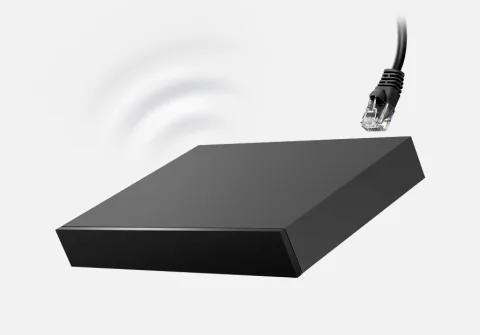
The network port manages 100 Mbit/s. That is enough for one 4K stream, which needs about 8 to 25 Mbit/s. The w3 version also has dual-band Wi-Fi (802.11ac, 2x2). With two USB 2.0 ports you play files from a USB stick, and over the network from a NAS too. Bluetooth is missing.
The infrared remote has five programmable buttons that learn your TV's codes, for example for power and volume. With 1 GB of RAM and 4 GB of storage the box is tightly specified, but it doesn't have to run apps. The box is small: 120 × 78 × 21 mm and 110 grams.
Watching IPTV
The MAG 540w3 runs Linux, not Android: TiviMate, IPTV Smarters, IBO Player, OTT Navigator, Kodi and MyTVOnline don't work on it. You watch via the built-in Stalker/Ministra portal, which you log in to with the box's MAC address; the channel list, TV guide and, if available, catch-up come from your provider. You can load an M3U list in the IPTV Channels menu, but that is a simple player without a full TV guide.
Specifications
| General | |
|---|---|
| System | Linux 4.9 with Infomir's built-in portal; Ministra TV middleware pre-installed |
| Chip | Amlogic S905Y4-B, four Arm Cortex-A35 cores at 2.0 GHz (16,500 DMIPS) |
| Graphics chip | Arm Mali-G31 MP2 (850 MHz) |
| RAM | 1 GB LPDDR4 |
| Storage | 4 GB eMMC |
| On sale since | Around 2022 (no official launch date) |
| Picture and sound | |
| Resolution | 4K (2160p) via HDMI 2.1; also 1080p, 720p and 576p |
| HDR | 4K HDR (Infomir doesn't list formats) |
| Video codecs | H.265 (HEVC) Main and Main10 up to 2160p60; AV1 only mentioned in the product description |
| Audio | Dolby Digital Plus up to 7.1 via HDMI, AAC, FLAC, APE; no Dolby Atmos |
| Subtitles | DVB, PGS, SRT and teletext |
| Connections | |
| Network port | 100 Mbit/s |
| Wi-Fi | Dual-band 802.11ac (2x2), w3 version only |
| Bluetooth | None |
| USB | 2× USB 2.0 |
| Power | 5 V / 2 A adapter |
| Controls and size | |
| Remote control | SRC-4015-1 (infrared) with five programmable buttons that learn codes from your TV |
| Dimensions | 120 × 78 × 21 mm |
| Weight | 110 grams |
| MAC address | Starts with 00:1A:79 (sticker on the box) |
Where to buy
Below are the shops that sell the MAG 540w3.
Prices checked on 13 October 2026. Prices and stock change; the shop always has the current price.
your provider supplies a MAG portal (Stalker or Ministra) and you want a simple, stable box that just works, for example for older relatives.
you want to choose your own IPTV app, log in with Xtream Codes, watch Netflix or want Dolby Vision and Atmos. Then choose an Android box or Infomir's MAG 555 with Google TV.
Genova TV
Genova TV works on the MAG 540w3 with MAG portal. Try it free first: you get test login details via WhatsApp and we'll help you install it step by step.
Alternatives
Best IPTV box
Formuler's flagship with MyTVOnline 4, 128 GB of storage and Dolby Vision
Google TV box with a gigabit port, successor to the Box R 4K Plus
Best budget box
Cheap Google TV box with 32 GB of storage, but no network port
Frequently asked questions
On a MAG box running Linux, the MAC address (00:1A:79:…) is your login. You send it to your IPTV provider, who activates it on their Stalker or Ministra server and gives you a portal URL. You enter that on the box. Infomir doesn't change MAC addresses on request.
No. It only works properly if your provider supplies a MAG portal (Stalker or Ministra). You can load an M3U list in the IPTV Channels menu, but that is a simple player without a full TV guide. Infomir doesn't describe logging in with Xtream Codes. So ask your provider beforehand whether they support MAG boxes.
A MAG box such as the 540w3 runs Linux and shows your provider's portal. There is no Play Store, so TiviMate, IPTV Smarters, Kodi and Netflix don't work, but the controls are simple and stable. On an Android or Google TV box you choose your own IPTV app and log in with M3U or Xtream Codes. Infomir's own Google TV model is the MAG 555.
According to Infomir's own comparison they have the same internals: Amlogic S905Y4-B, 1 GB of RAM, 4 GB of storage, Linux 4.9, dual-band Wi-Fi, 100 Mbit networking and two USB 2.0 ports. The 544w3 (May 2023) has a larger casing of 115 × 115 × 28 mm and 170 grams, and the programmable MiniFusion remote. It costs a few euros more.
No. Infomir's datasheet describes the MAG 524 and 524w3 as Linux boxes for 4K with an Amlogic S905X2, and the product page is now in Infomir's archive. The current Linux models are the MAG 540w3 and 544w3; Infomir's Android model is the MAG 555 with Google TV.
Prices checked on 13 October 2026. Product photo: Infomir, via persfoto van de fabrikant.
Still comparing? See every provider ranked side by side in Best IPTV 2026.