• Setup guides

IPTV and Netflix on One Device: Watch Everything with One Remote

Using IPTV and Netflix together is easier than you think. Here's how to put live TV, sport, films and your streaming apps side by side on one Fire TV Stick, Android TV or Smart TV, with one remote and one home screen.
By Genova TV Team, Streaming editors3 min read

IPTV and Netflix on one device
In this article
  1. Why combine IPTV and Netflix?
  2. Which device do you need?
  3. Step by step: everything on one device
  4. Tips for a pleasant home screen
  5. What does it cost?
  6. Frequently asked questions
  7. Try it yourself

Many people search for IPTV with Netflix because they want one thing: no more switching between boxes, remotes and HDMI inputs. Live TV and sport on one device and series on another is clumsy. The good news is that with the right device, everything sits side by side on a single home screen.

This guide shows you which device you need, how to set up IPTV and your streaming apps together, and how to arrange it so the whole family finds its way around.
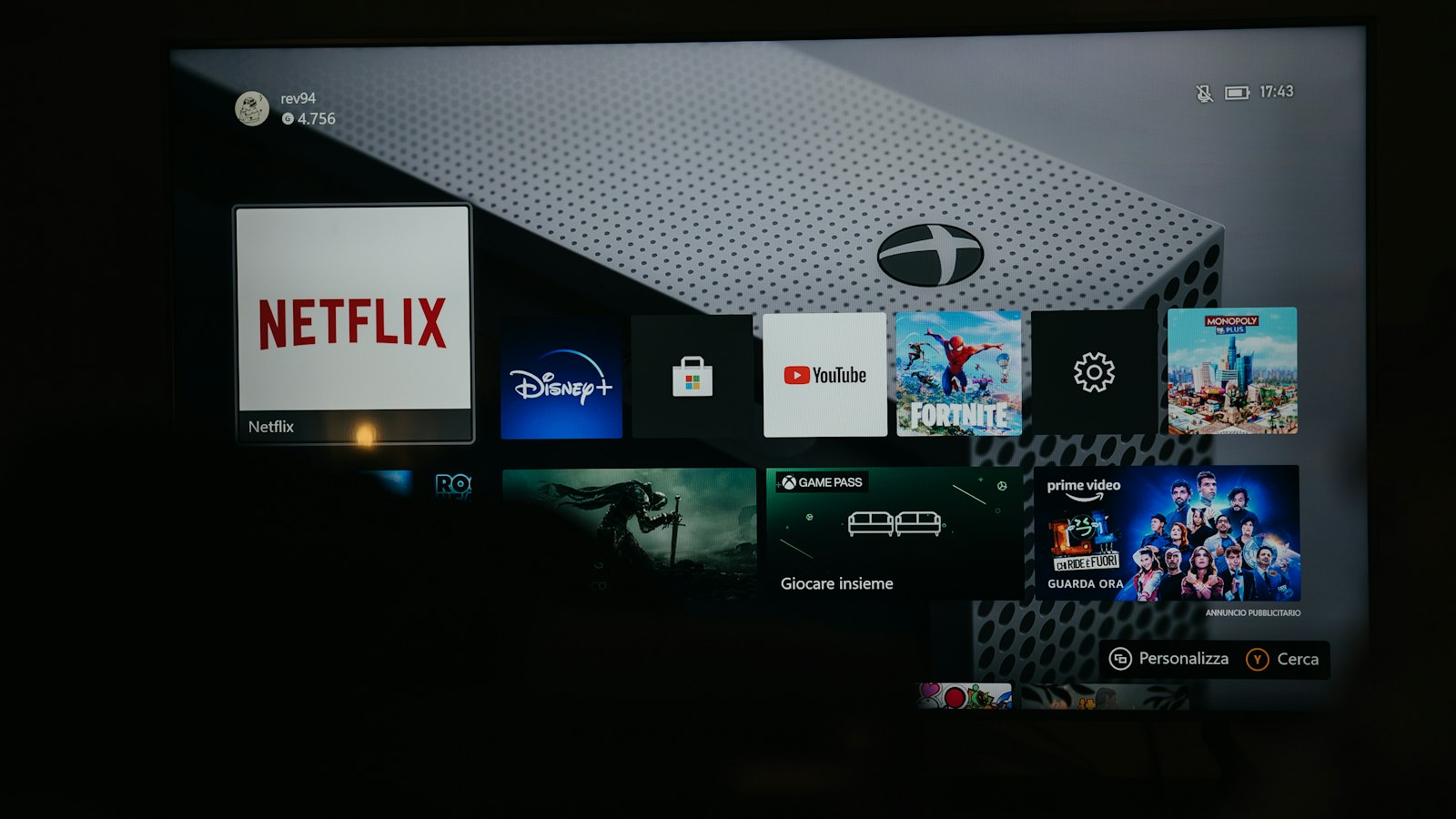
TV showing a library of films
Joseph Recca / Unsplash

Why combine IPTV and Netflix?

IPTV and streaming services complement each other well:

  • IPTV gives you live TV: national and international channels, news and live sport, plus a large library of films and series. With Genova TV that's more than 45,000 channels and 200,000+ films and series in up to 4K.
  • Streaming apps such as Netflix, HBO Max, Disney+, Viaplay and Videoland have their own apps, profiles and recommendations.

Together on one device means one remote, one home screen and just a few clicks from the match to your series.

Which device do you need?

Choose a device that runs both an IPTV app and the official streaming apps:

  • Amazon Fire TV Stick (4K or 4K Max): affordable, fast, and every major streaming app is available.
  • Android TV or Google TV (for example Chromecast with Google TV, Nvidia Shield, or a Philips or Sony TV): the widest choice of IPTV apps.
  • Samsung or LG Smart TV: the streaming apps are usually already there; for IPTV you use IBO Player or Smart IPTV.

Not sure? A Fire TV Stick 4K is the easiest choice for most households.

Step by step: everything on one device

  1. Plug the device in to an HDMI port on your TV and connect it to the internet, ideally by cable or strong Wi-Fi.
  2. Install your streaming apps from the device's official app store and sign in with your own account.
  3. Install an IPTV app, for example IPTV Smarters Pro or TiviMate. Our blog has step-by-step guides for each app.
  4. Add your Genova TV details using Xtream Codes (server, username and password) or an M3U link.
  5. Move your favourite apps to the front of the home screen: for example your IPTV app first, then Netflix.

That's it. From now on, one remote does everything.

Couple with popcorn on the sofa
Phillip Goldsberry / Unsplash

Tips for a pleasant home screen

  • Turn on HDMI-CEC on your TV. The stick's remote will then switch the TV on and off and control the volume.
  • Create favourites in your IPTV app with the ten channels you watch most. Zapping becomes much quicker.
  • Hide channel groups you never use, so the list stays short and clear.
  • Use profiles in your streaming apps, so everyone at home keeps their own recommendations.

What does it cost?

You pay for each service separately. Genova TV starts from €7 per month for live TV, sport and our film and series library. On top of that you keep whichever streaming subscriptions you want. Many people find that our large library means they need fewer separate streaming services.

Frequently asked questions

Can I watch Netflix inside my IPTV app?

You use the official Netflix app, on the same device as your IPTV app. From the home screen, you switch between them in a couple of clicks.

Does this work with HBO Max, Disney+, Viaplay and Videoland too?

Yes. Any service with an official app on your device can sit next to your IPTV app. On Fire TV and Google TV all these apps are available.

Do I need fast internet?

About 10 Mbit/s per screen is enough for HD and about 25 Mbit/s for 4K. If several people watch at once, add it up.

Try it yourself

Want to see how nice it is to have everything on one device? Ask for a free 24-hour test, put Genova TV next to your streaming apps and enjoy an evening. Need help setting up? Our team helps you on WhatsApp. See the plans.
    • Setup guides

    What Is IPTV? A Simple Explanation for Beginners (2026)

    What exactly is IPTV, how does it work and what do you need? A simple explanation without jargon: the difference from regular TV, which devices work, the pros and cons, and how to get started in ten minutes.

    • Setup guides

    Combining IPTV and Videoland: The Best Setup for Your Household

    IPTV and Videoland complement each other perfectly: live TV and sport through IPTV, Dutch series and films through Videoland. Here's how to set it up for a series lover, a sports fan or a family, and how to add Netflix and Viaplay too.

Ready to watch?

+45,000 channels and +140,000 films and series in 4K. Try it free first, risk-free.

TurboView+shapeIPTV

Enjoy the ultimate IPTV experience with our Premium package!
3 months
SUBSCRIPTION FOR 3 MONTHS
29
.90
€
Valid for 3 monthsWith all premium features
  • +45K international channels
  • +200K films and series (720p/1080p/4K)
  • Netflix, HBO, Apple , Disney , Darts ...
  • La Liga, Premier League, Champions League, NBA, NFL, NHL, MLB...
  • Adults channels +18 💋
  • RTL - Viaplay - Videoland
  • ESPN - Ziggo - F1 zenders
  • Works on all devices
  • Free and automatic updates
  • EPG and Catch up TV
  • VPN
  • Uptime 99%regular
Subscribe now
6 months
SUBSCRIPTION FOR 6 MONTHS
49
.90
€
Valid for 6 monthsWith all premium features
  • +45K international channels
  • +200K films and series (720p/1080p/4K)
  • Netflix, HBO, Apple , Disney , Darts ...
  • La Liga, Premier League, Champions League, NBA, NFL, NHL, MLB...
  • Adults channels +18 💋
  • RTL - Viaplay - Videoland
  • ESPN - Ziggo - F1 zenders
  • Works on all devices
  • Free and automatic updates
  • EPG and Catch up TV
  • VPN
  • Uptime 99%regular
Subscribe now
icon
1 year
SUBSCRIPTION FOR 1 YEAR
69
.90
€
89,90€
  • +45K international channels
  • +200K films and series (720p/1080p/4K)
  • Netflix, HBO, Apple , Disney , Darts ...
  • La Liga, Premier League, Champions League, NBA, NFL, NHL, MLB...
  • Adults channels +18 💋
  • RTL - Viaplay - Videoland
  • ESPN - Ziggo - F1 zenders
  • Works on all devices
  • Free and automatic updates
  • EPG and Catch up TV
  • VPN
  • Uptime 99%regular

Includes a Premium IPTV app (costs 10 euros), free and at no extra cost

iconiconiconiconicon
Subscribe now

Ultra VisionshapeIPTV

Discover our Standard IPTV option for a decent viewing experience.
3 months
SUBSCRIPTION FOR 3 MONTHS
15
.90
€
Valid for 3 monthsWith all premium features
  • +19K international channels
  • +80K films and series (720p/1080p/4K)
  • Netflix, HBO, Apple , Disney , Darts ...
  • La Liga, Premier League, Champions League, NBA, NFL, NHL, MLB...
  • Adults channels +18 💋
  • VPN
  • FHD/HD/SD quality
  • Works on all devices
  • Free and automatic updates
Subscribe now
6 months
SUBSCRIPTION FOR 6 MONTHS
25
.90
€
Valid for 6 monthsWith all premium features
  • +19K international channels
  • +80K films and series (720p/1080p/4K)
  • Netflix, HBO, Apple , Disney , Darts ...
  • La Liga, Premier League, Champions League, NBA, NFL, NHL, MLB...
  • Adults channels +18 💋
  • VPN
  • FHD/HD/SD quality
  • Works on all devices
  • Free and automatic updates
Subscribe now
icon
1 year
SUBSCRIPTION FOR 1 YEAR
39
.90
€
Best price performance ratio
  • +19K international channels
  • +80K films and series (720p/1080p/4K)
  • Netflix, HBO, Apple , Disney , Darts ...
  • La Liga, Premier League, Champions League, NBA, NFL, NHL, MLB...
  • Adults channels +18 💋
  • VPN
  • FHD/HD/SD quality
  • Works on all devices
  • Free and automatic updates

Includes a Premium IPTV app (costs 10 euros), free and at no extra cost

iconiconiconiconicon
Subscribe now