Best stick for IPTV
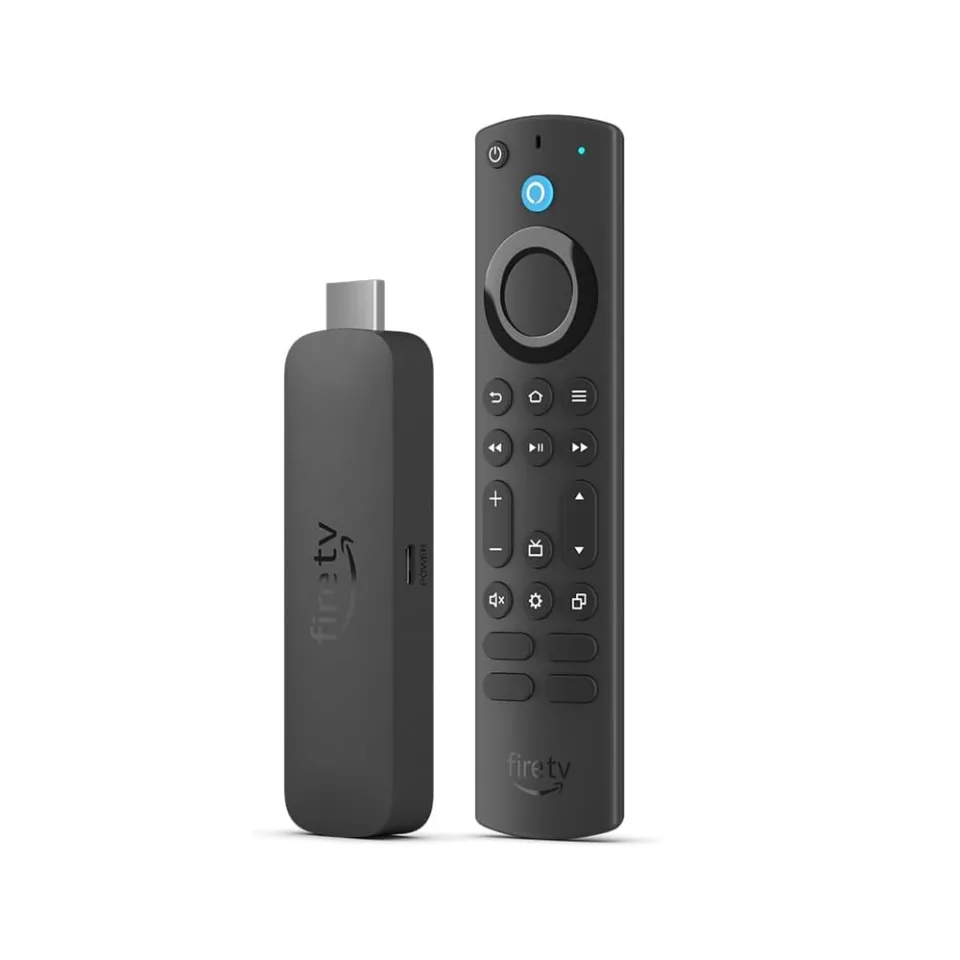
The last Fire TV Stick where you install IPTV apps yourself
- 4K · Dolby Vision · HDR10+
- No network port
- Fire OS 8
from £46.99 at John Lewis
Streaming stick · review updated 13 October 2026
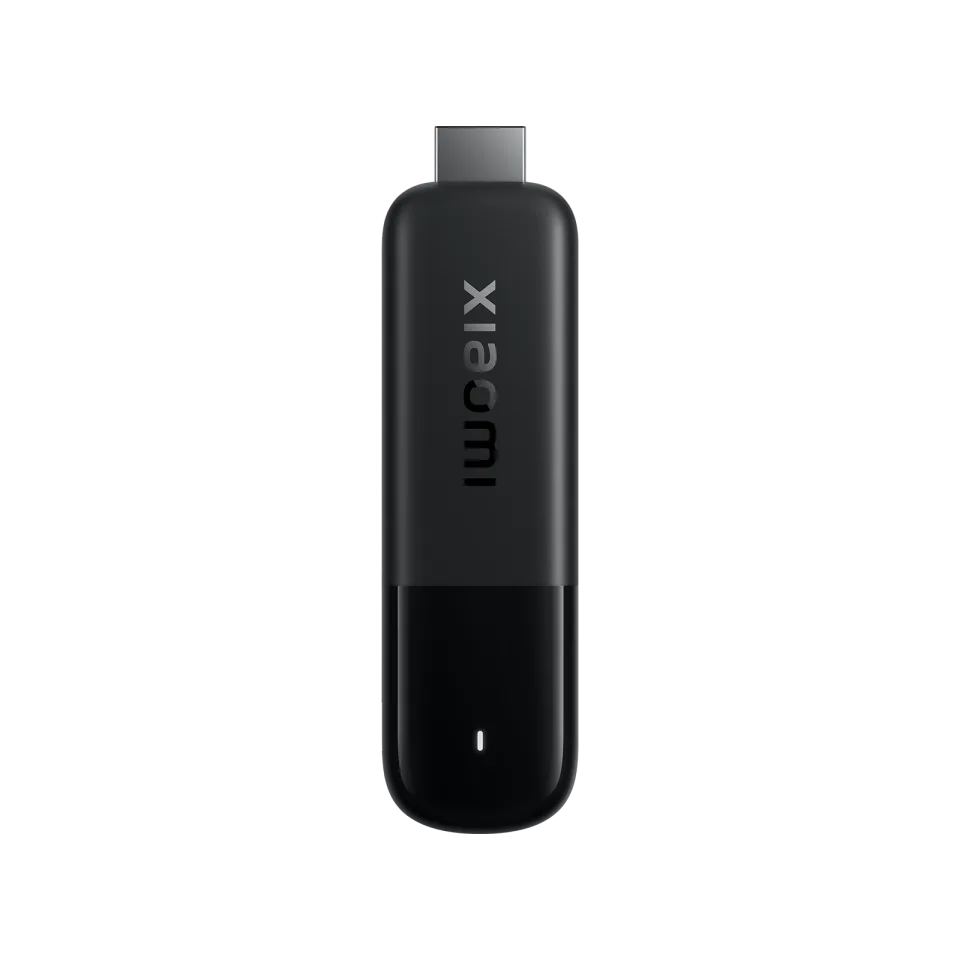
The second-generation Xiaomi TV Stick 4K is a cheap Google TV stick that you plug straight into your TV's HDMI port. It has the same chip family as the Xiaomi TV Box S, in a much smaller format.
The first generation from 2022 runs Android TV 11 and is still in some web shops, for example as XM310009. You recognise the second generation (PFJ4197EU) by ‘2nd Gen’ and Google TV.
Our verdict
The Xiaomi TV Stick 4K (2nd gen) is a cheap way to get Google TV, Dolby Vision and IPTV apps on your TV. For a second TV or the occasional bit of IPTV it is fine, but with 8 GB of storage, 2 GB of RAM and Wi-Fi only it isn't the choice for anyone who uses big channel lists every day. Then the Xiaomi TV Box S is the more logical step.
How the Xiaomi TV Stick 4K scores on the five points we rate every box on. How we rate.
The stick came out in mid-2025 with a euro RRP of €59.99. For that you get 4K with Dolby Vision and HDR10+, Dolby Atmos passthrough, Wi-Fi 6, Chromecast and the Google Play Store. RAM (2 GB) and storage (8 GB) are unchanged from the first generation.
In this review you'll read what is better than on the first generation, how the stick compares with the Fire TV Stick 4K Max and how to install IPTV.
The first Xiaomi TV Stick 4K came out in 2022. It runs Android TV 11 on a chip with four Cortex-A35 cores and a Mali-G31 graphics chip, with 2 GB of RAM, 8 GB of storage, dual-band Wi-Fi, AV1, Dolby Atmos and DTS-HD. It is still sold by some retailers as the ‘Xiaomi TV Stick 4K XM310009’.
The second generation runs Google TV instead of Android TV 11 and has the much faster Amlogic S905X5M-K with Cortex-A55 cores up to 2.5 GHz. According to Xiaomi the processor is 80 per cent faster and the graphics chip 150 per cent faster. Wi-Fi 6, Dolby Vision and HDR10+ are new. RAM and storage have stayed the same: 2 GB and 8 GB.
If you're buying new, choose the second generation. The first generation lacks Dolby Vision, has a slower chip and runs an older Android version. When ordering, look for ‘2nd Gen’ in the product name.
Both sticks have 2 GB of RAM and play 4K with Dolby Vision, HDR10+ and Dolby Atmos. The Fire TV Stick 4K Max does have twice as much storage (16 GB), Wi-Fi 6E and a separate Ethernet adapter from Amazon. With the Xiaomi stick, Xiaomi doesn't officially support an adapter.
The big difference is in the software. The Xiaomi stick runs Google TV with the Play Store and Chromecast, so you install TiviMate with no detours and don't have to deal with the list of apps that Amazon blocks on Fire TV. On the 4K Max you install IPTV apps yourself via Downloader, and the home screen shows a lot of Amazon advertising.
If you want as much storage as possible and a network adapter, choose the 4K Max (euro RRP €79.99). If you want Google TV, Chromecast and the Play Store, the Xiaomi stick, with a euro RRP of €59.99, is the cheaper choice.
The stick only has an HDMI plug and a micro-USB port for power. According to Xiaomi's FAQ there is no LAN connection, no USB host function and no storage expansion. An Ethernet adapter or USB stick is therefore officially not supported. The site androidtvbox.eu reports that OTG does work, but when buying, assume you only have Wi-Fi.
That Wi-Fi is fast, though: Wi-Fi 6 on 2.4 and 5 GHz. A 4K stream needs about 8 to 25 Mbit/s, so with a router nearby on 5 GHz that goes fine. If the Wi-Fi by your TV is weak, choose a box with a network port, such as the Homatics Box 4K V2 with gigabit Ethernet.
The stick plays 4K at 60 frames per second, with Dolby Vision, HDR10 and HDR10+; androidtvbox.eu and GIGA list HLG, but Xiaomi itself doesn't. For sound it passes Dolby Atmos on to your TV or soundbar and decodes DTS:X and DTS-HD, over HDMI only. Netflix, Prime Video and YouTube are already on it.
The 6 nm chip is the same family as in the Xiaomi TV Box S (3rd gen), so menus and apps respond smoothly. The 8 GB of storage does fill up fast if you keep several apps, an extensive TV guide and the cache of streaming services, and 2 GB of RAM is tight with channel lists of thousands of channels. It is a pity, too, that power still goes through micro-USB instead of USB-C.
Watching IPTV
The stick runs Google TV with the Play Store, so you install TiviMate, Kodi and Downloader directly. You add players that aren't in the Play Store, such as IPTV Smarters Pro and OTT Navigator, as APKs. With 8 GB of storage, stick to one or two IPTV apps so there is room left for the TV guide; MyTVOnline only works on Formuler boxes.
Specifications
| General | |
|---|---|
| System | Google TV 14 (Android TV 14) |
| Chip | Amlogic S905X5M-K, four Cortex-A55 cores up to 2.5 GHz |
| Graphics chip | Arm Mali-G310 V2 |
| RAM | 2 GB |
| Storage | 8 GB |
| Model number | MDZ-33-AA (article number PFJ4197EU) |
| On sale since | Mid-2025 (2nd gen) |
| Picture and sound | |
| Resolution | 4K up to 60 frames per second |
| HDR | Dolby Vision, HDR10, HDR10+; HLG according to androidtvbox.eu and GIGA |
| Video codecs | H.265 (HEVC) and VP9 up to 4K60, H.264 up to 4K30, plus AV1 |
| Audio | Dolby Atmos (passthrough), DTS:X and DTS-HD, over HDMI only |
| Upscaling | AI upscaling (AISR) according to Xiaomi |
| Connections | |
| HDMI | HDMI 2.1a, 15 cm extender included |
| Network port | None; according to Xiaomi no support for a USB adapter either |
| Wi-Fi | Wi-Fi 6 (2.4 and 5 GHz) |
| Bluetooth | 5.2 |
| Power | Micro-USB; 5 V / 2 A adapter and 1 metre cable included |
| Controls and size | |
| Remote control | Bluetooth voice remote with Google Assistant button; the stick has no infrared receiver |
| Dimensions | 107.4 × 30 × 14 mm |
| Weight | 44 grams |
Where to buy
Below are the shops that sell the Xiaomi TV Stick 4K.
Prices checked on 13 October 2026, RRP £45.99. Prices and stock change; the shop always has the current price.
you want a cheap Google TV stick for a second TV, a monitor or travelling, and you watch the occasional bit of IPTV over good Wi-Fi.
you watch IPTV every day with a big channel list and an extensive TV guide, or need a network cable or USB storage.
Genova TV
Genova TV works on the Xiaomi TV Stick 4K with TiviMate. Try it free first: you get test login details via WhatsApp and we'll help you install it step by step.
Alternatives
Best stick for IPTV
The last Fire TV Stick where you install IPTV apps yourself
Best budget box
Cheap Google TV box with 32 GB of storage, but no network port
Best all-rounder
Google TV with a network port, 4 GB of RAM and updates until 2029
Frequently asked questions
For light use, yes. The second generation runs Google TV with the Play Store, so you install TiviMate directly and other apps as APKs. With 8 GB of storage, 2 GB of RAM and Wi-Fi only, a box with a network port is better if you watch with a big channel list every day.
The second generation runs Google TV instead of Android TV 11, has a Cortex-A55 chip up to 2.5 GHz (S905X5M-K) instead of Cortex-A35, and adds Wi-Fi 6, Dolby Vision and HDR10+. RAM (2 GB) and storage (8 GB) are unchanged.
Officially not. According to Xiaomi the stick has no LAN connection, no USB host function and no storage expansion; the micro-USB port is for power only. One review site reports that OTG does work, but count on Wi-Fi only.
The Fire TV Stick 4K Max has more storage (16 GB), Wi-Fi 6E and an optional Ethernet adapter. The Xiaomi stick has the Play Store and Chromecast, so you install TiviMate with no detours, and is cheaper. For lots of IPTV apps and a big TV guide, the 4K Max is the better stick.
Yes, the second generation does. Xiaomi lists Dolby Vision and HDR10+ for picture, and Dolby Atmos as passthrough plus DTS:X for sound. Your TV or soundbar must support those formats too. The first generation has no Dolby Vision.
Prices checked on 13 October 2026. Product photo: Xiaomi, via persfoto van de fabrikant.
Still comparing? See every provider ranked side by side in Best IPTV 2026.