VLC media player
VideoLAN6.1
IPTV app · review updated 13 October 2026
IPTVnator is a free IPTV player for Windows and Mac, developed in the open by 4gray.
Runs on
Our verdict
IPTVnator is a free, open-source player for desktop computers. It supports Xtream and M3U logins, a TV guide, catch-up and on-demand video, and it costs nothing. It only runs on Windows and Mac, and you install it from GitHub rather than from a store.
IPTVnator is only a player: to watch TV you still need an IPTV subscription. Compare the providers in Best IPTV 2026.
How IPTVnator scores on the five points we rate every app on. How we rate.
Screenshots
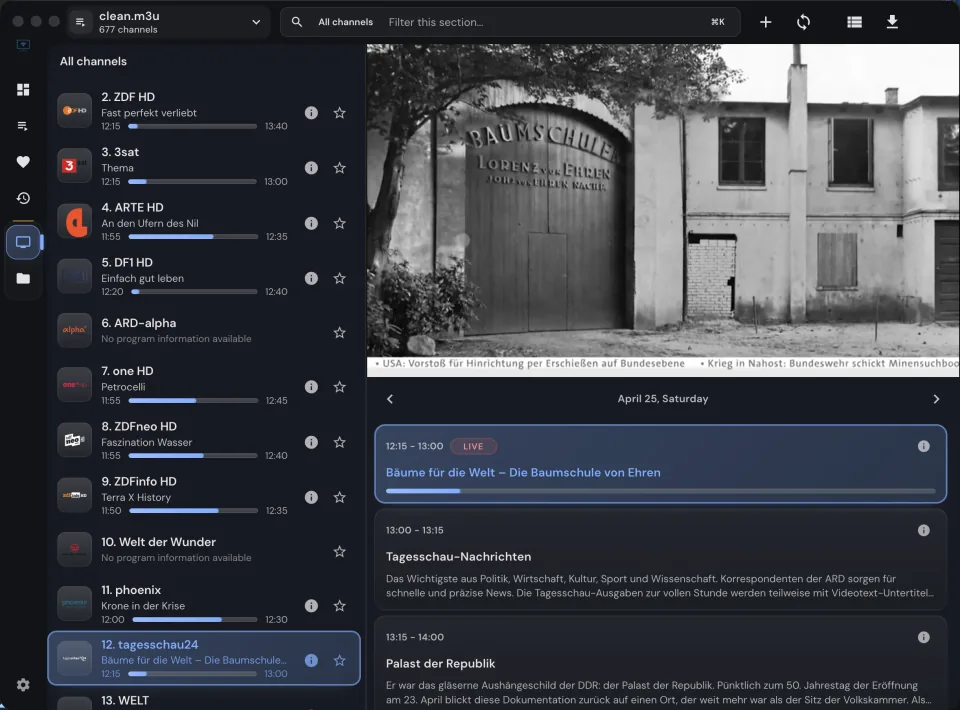
 Channel list with programme information in IPTVnator
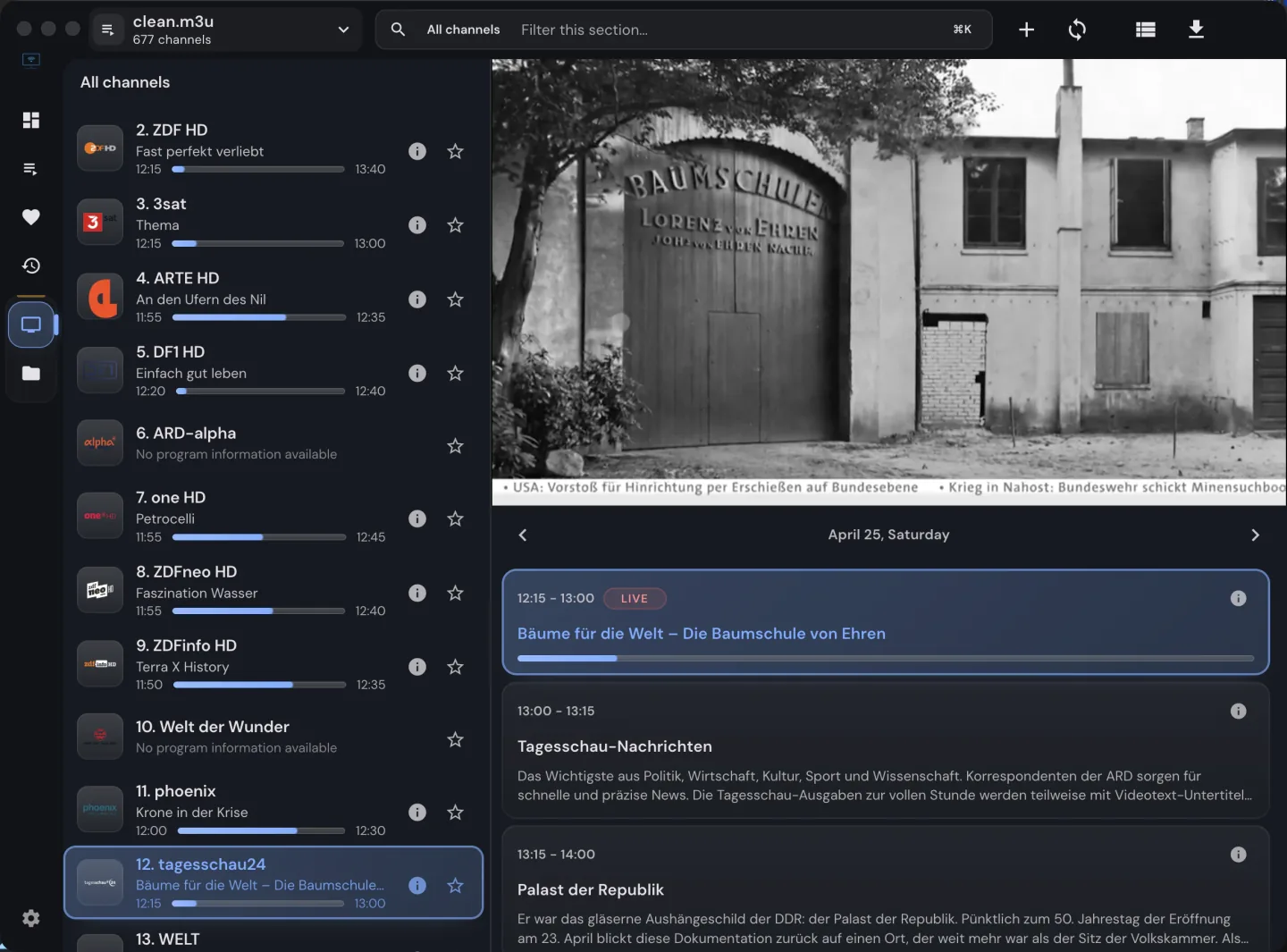
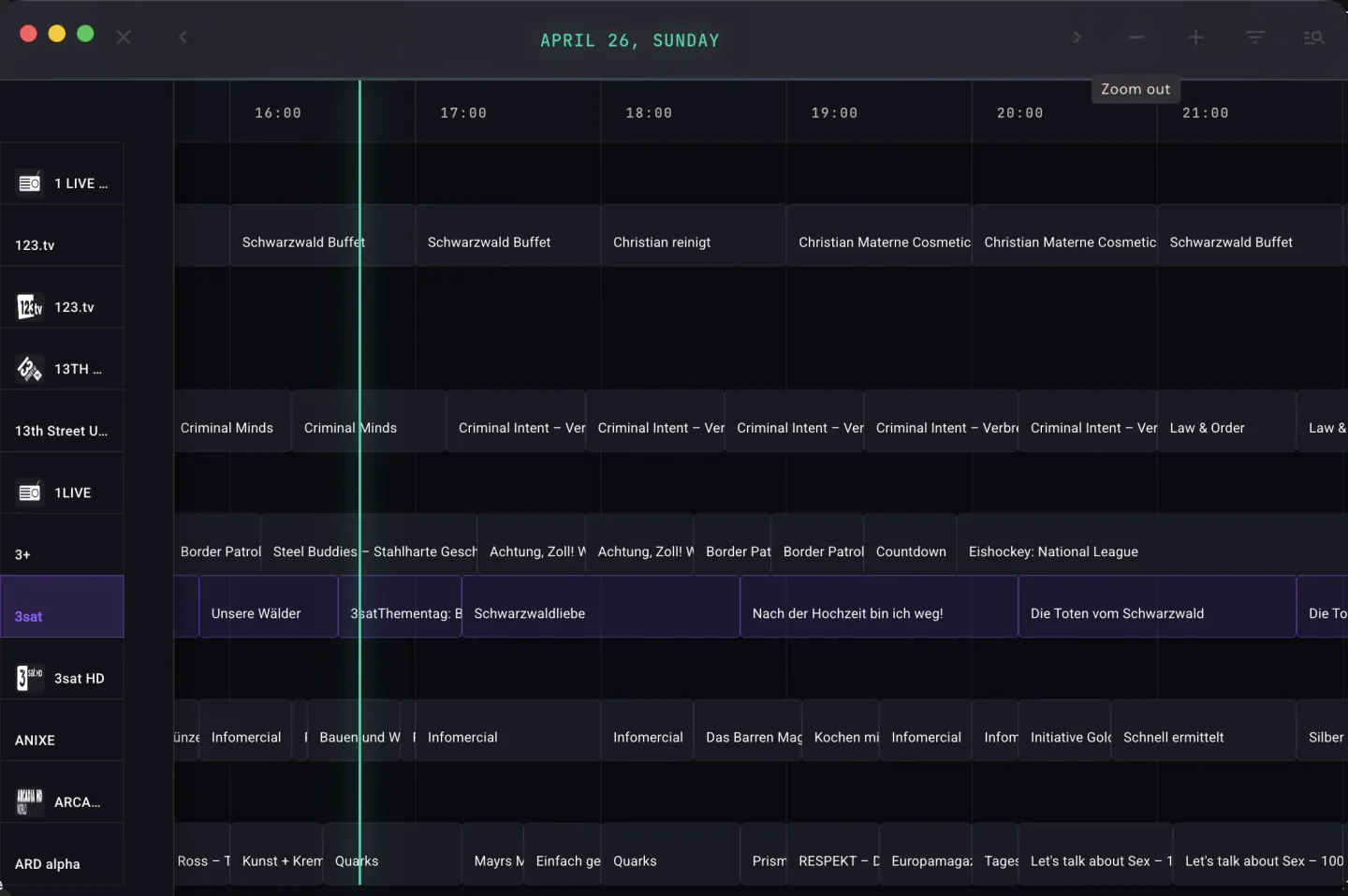 TV guide with a timeline for several channels in IPTVnator
You add your Xtream login or M3U playlist, and the app shows channels with programme information and a TV guide. It also supports catch-up and on-demand video. The project is distributed from GitHub, with a documentation site alongside it. There is no paid tier and no licence to buy.
Most IPTV apps are made for TVs and phones. IPTVnator is different: it runs on Windows and Mac. That makes it useful for watching at a desk, on a laptop or on a monitor in a spare room.
The screenshots show a channel list with programme details and a timeline-style TV guide. It looks more like a desktop programme than a TV app, which suits the setting.
There is no store listing. You download the installer from the project's releases page on GitHub. That is normal for open-source software, but it means you update the app yourself.
Download only from the official project page linked in the sources, and check that the release matches your system before you run it.
IPTVnator doesn't list recording, parental controls or multi-view. It also isn't an app for your TV, so for the living room you will want a second player.
VLC works as a simple desktop alternative, and IPTV Smarters Pro covers phones, tablets and TVs.
Features
IPTVnator runs on Windows and Mac. You download the app from Official website.
| General | |
|---|---|
| Developer | 4gray |
| Platforms | Windows, Mac |
| Price | Free |
| Download | Official website |
| Logging in | |
| Xtream Codes | Yes |
| M3U link | Yes |
| MAC / Stalker | Not mentioned by the developer |
| Features | |
| TV guide (EPG) | Yes |
| Catch-up | Yes |
| Recording | Not mentioned by the developer |
| Multiview | Not mentioned by the developer |
| Parental lock | Not mentioned by the developer |
| Films and series | Yes |
Installing
Download
Official sources only. Beware of fake apps with almost the same name and icon.
Prices and stores checked on 1 November 2026. Prices can vary by country and currency; the developer always has the current price.
you mainly watch on a Windows PC or Mac and want a free player with a TV guide.
you want to watch on a TV or phone; choose IPTV Smarters Pro instead.
Genova TV
Genova TV works in IPTVnator. Try it for free first: you get trial details via WhatsApp and we help you with the installation step by step.
Alternatives
Installing
Frequently asked questions
Yes. IPTVnator is open source and has no paid tier, so there is nothing to buy or unlock.
Take it only from the official GitHub project or its documentation site. The code is public, so anyone can inspect it.
No. The developer lists Windows and Mac only. For a TV you need a different player.
IPTVnator runs on Windows and Mac. You download the app from Official website.
IPTVnator is free to use.
Yes. You log in with Xtream Codes or an M3U link. We help you set it up on WhatsApp.
Prices and stores checked on 13 October 2026. Icon and screenshots: 4gray, via GitHub.
Still comparing? See every provider ranked side by side in Best IPTV 2026.